


As an IRM, you will use two different member portals to manage your membership.
NAR.realtor Member Portal
Creating an International REALTOR® Member account on NAR.realtor
Step-by-step instructions:
1. Visit www.nar.realtor.
2. Click "Sign In" in the top right-hand corner

3. On the Sign-In screen, select Create Account.
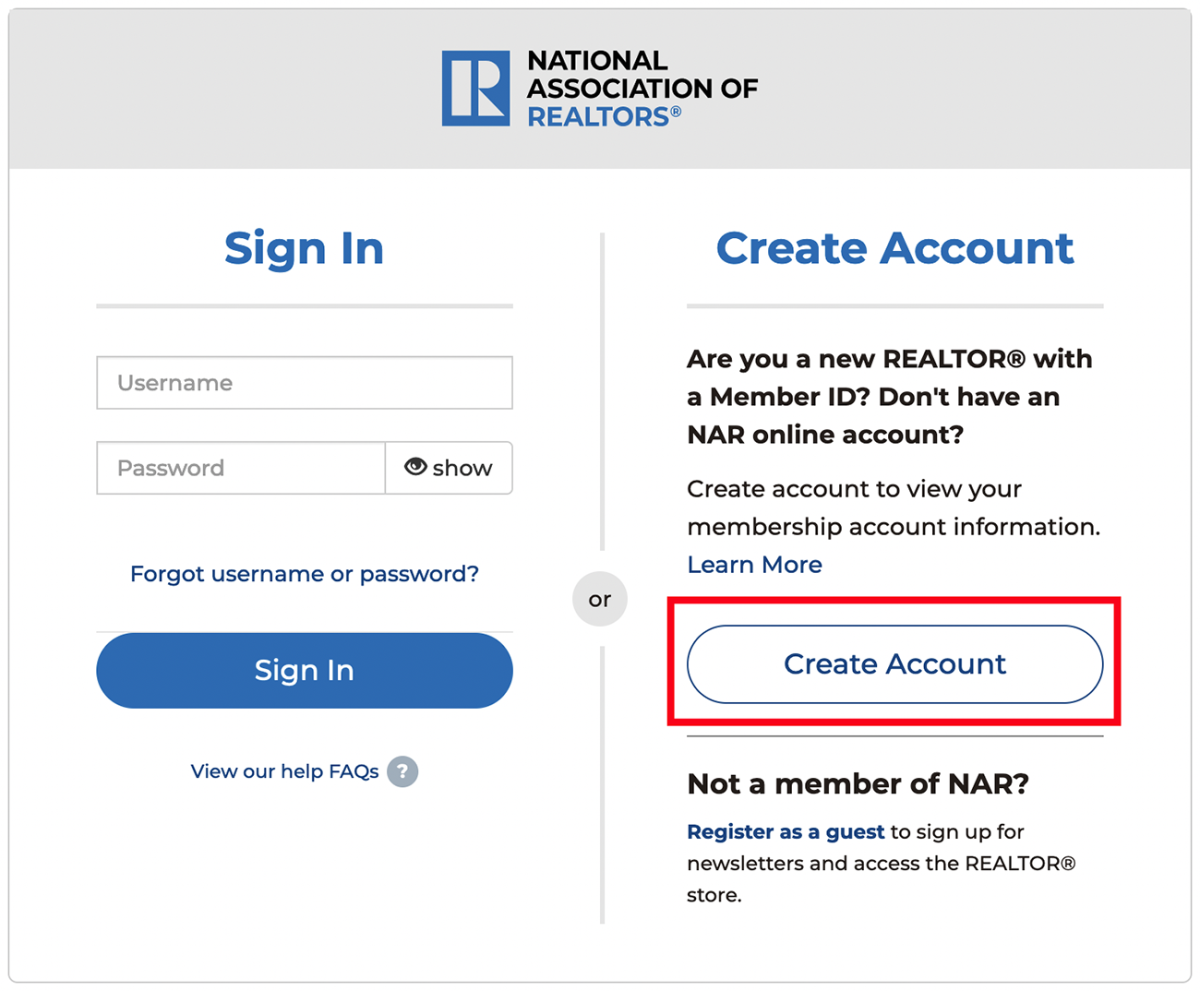
4. Enter your M1# (Note it asks for 9 digits, you must add a zero “0” before the number beginning with 61; for example, 06112345).
5. Type your last name/surname exactly as you provided at registration (case sensitive).
6. Press submit.
With your nar.realtor account created, you can:
Download Your NAR Member Card
After you create your nar.realtor account, you can view and download your NAR REALTOR® member card from your Dashboard.
Sign Up for NAR E-mail News Subscriptions
You have access to NAR e-mail news subscriptions. When you set up your profile (above), select the “Subscriptions and Notifications” tab
You can update your email address and select the type of information you would like to receive in your newsletter.
Join the Conversation With NAR Social Media
Engaging in open dialogue with your peers through social media outlets is perhaps the easiest and most cost-efficient way to connect with your peers and be viewed as an expert in your market. NAR Global offers groups on LinkedIn, Twitter, and Facebook to help facilitate this dialogue.
In addition to the social media sites listed above, NAR engages members through a number of industry-focused blogs ranging from technology to research to leadership. View the complete list of all NAR Blogs.
Use Your Member Benefits
Now that you are a REALTOR®, you can take advantage of the many benefits that go along with membership. Benefits include brand-name recognition, research, articles, books, journals, member discounts on education and events, and more. View the International REALTOR® Member Benefits Guidepdf.
RAMCO International REALTOR® Member Portal
Once your membership is active, you can download your International REALTOR® Member Certificate, edit your email address, add telephone information and upload a profile photo and renew your membership dues.
Download Your Membership Certificate
Step-by-step instructions:
You can easily download your International REALTOR® Member certificate by following these steps:
1. Visit the RAMCO International REALTOR® Member Portal.
2. Sign in using:
- Username: M1# (do not add a zero “0” before the number beginning with 61)
- Password: Your last name/surname (case sensitive; must match your registration exactly)
3. Navigate to Events > My Classes.
4. Click Certificate to download your IRM certificate.
Note: Passwords are case sensitive and must match your registration details exactly.
Update Your Email or Add Telephone Information
You can update your contact information anytime:
Step-by-step instructions:
1. Visit the RAMCO International REALTOR® Member Portal.
2. Sign in with your M1# and last name/surname (case sensitive).
3. Edit your account details as needed.
Tip: Passwords are case sensitive and must match your registration details exactly.
Note: If you need to make other changes, please contact narglobe@nar.realtor for assistance.
Pay International REALTOR® Member Dues
International REALTOR® members pay dues annually from the date you registered. You will receive an email before your expiration date with the renewal information.
You can easily pay your dues by following these steps:
1. Visit the RAMCO International REALTOR® Member Portal
2. Sign in with your M1# and last name/surname (case sensitive)
3. Click "Review and Pay Balance" to:
- Renew Membership and Pay Dues.
NOTE: If the balance isn't shown and your membership has expired, please contact narglobe@nar.realtor.